

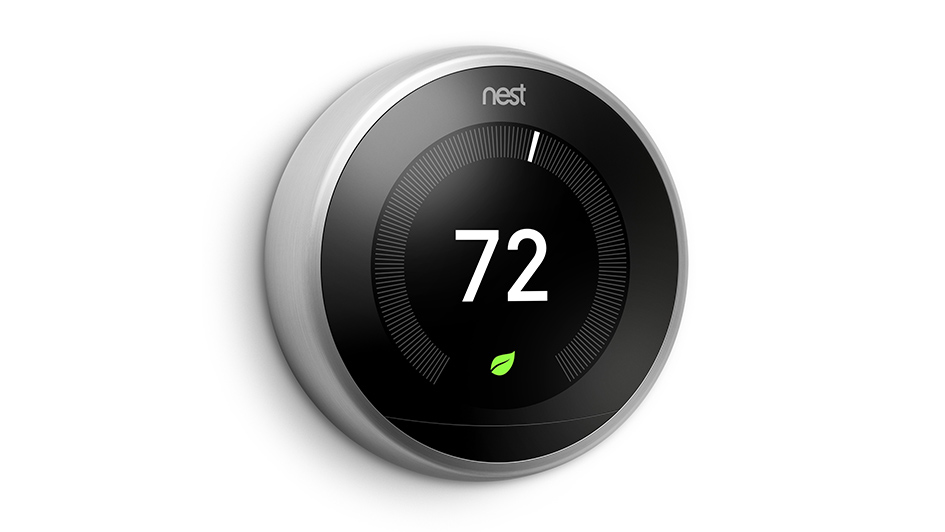
Installing a Nest thermostat is one of the best ways to optimize the day-to-day schedule of your heating and cooling. This smart thermostat can learn your preferences and automatically make adjustments. But as you might expect, it won’t work properly or at all if you see an error code on the display. The exact error code provides useful information about the underlying problem, something a trained technician can use to provide solutions that much quicker.
Here are seven of the most common error codes you might encounter on your Nest thermostat. We’ll walk you through the basics of each error code along with how you can address it and the estimated cost to do so. Don’t forget that while the costs will ultimately be dependent on the exact Nest model, you can anticipate paying between $75-$200 for repairs. This should include things like travel and labor costs along with any specific components needed to finish repairs.
e298 – Critical
This critical error code is limited to new models of the Nest thermostat and is displayed when the power is shut off. Since this is a critical power error, the thermostat will swap to the backup battery system. The error message will continue to be displayed until the issue is dealt with.
Losing power to your Nest thermostat can be for several reasons. The wiring might have disconnected or become damaged, or a disconnection could have appeared further along in the electrical system. This may be the circuit breaker, fuse box or system switch. A professional technician can inspect electrical connections and wiring until they uncover the root of the problem.
e294 – Critical
Critical error code e294 appears when your Nest thermostat’s wiring has to be reconfigured. More specifically, the technician will need to reconfigure the R wire. They’ll first conduct a factory reset of your thermostat to ensure it’s not just a software issue. If that doesn’t work, they’ll check the wiring diagram of the thermostat and begin inspecting connectors.
They’ll disconnect the power and gradually look at each wire, seeing to it that they are fully inserted into the connector with the proper amount of uncovered copper. When they locate the damaged connector, it can be exchanged for a new one.
e195 – Critical
This critical error code can appear when the weather outside is severely hot. The HVAC system can fail and stop delivering power to your Nest thermostat. When this problem lasts, the backup battery in your thermostat depletes and the thermostat will subsequently power down. Presuming the breakers are on, you can search a few other places before contacting a professional technician.
As this error can consume your thermostat’s battery, the first step may be restoring enough power to find out if this specific error code is what you’re dealing with. You can disconnect the thermostat from its base and deliver power through a USB cable. Assuming it presents error code 195, you can continue to visually inspect components including the wiring as well as your air conditioner’s air filter or drainage system. If you can’t uncover anything wrong with these components, it will likely be best to call a pro.
e103 – Critical
Another critical error code, e103 indicates an electrical malfunction with your Nest thermostat. More specifically, e103 may refer to an overcurrent problem, which means the wiring is experiencing more power than what is safe and normal. This will sometimes stem from the breaker box, an error from the control board or thanks to a bad connection in the thermostat. The technician will carefully investigate and test the Nest’s electrical system to figure out where the power is surging or why the thermostat believes there’s an overcurrent problem.
n260
While this error code isn’t critical, it could still prevent you from using the Nest thermostat like normal. Error code n260 concerns the lack of a C wire or Nest Power Connector, as missing one can block your Nest from getting enough power. You can inspect the Nest’s C connector for the presence of a C wire and modify the wiring itself if there is. If not, you’ll need a Nest Power Connector.
During installation of a Nest Power Connector, you might notice error code E297 appear. This can be dealt with by updating your thermostat in Settings -> Software -> Update. If the Power Connector was already installed, you’ll instead be required to update the wiring info in the app from Settings -> Thermostat -> Wiring -> Update wiring.
e104 – Critical
Like error code e103, e104 is a critical error stemming from an overcurrent. If excessive power is transported using the Nest’s wiring, it could damage internal components and can even be a fire hazard. If you notice this error code show up on your Nest thermostat and want to protect from electrical damage, it’s a good idea to shut the power off straightaway. You can then get a hold of a professional technician with the necessary experience identifying and solving electrical problems.
e73 – Critical
When your thermostat displays error code e73, it means that the Rc wire is not receiving power.
This might be as straightforward as the breaker being turned off, but it could also be a problem with the wiring. After switching off the power to your HVAC system and thermostat, you can visually check the wires to make sure nothing is loose or damaged. If nothing looks to be out of place, it’s best to speak with a local professional.


